MTurk alternatives
Your work continues. Beyond MTurk.
Amazon Mechanical Turk permanently closed on 30 September 2026. Close out the account first, then test a replacement on one real brief.
Sources checked 11 October 2026 · View sources
Three steps to move forward.
Microworker is a candidate for straightforward fixed-reward tasks. Don’t assume MTurk qualifications, research controls or integrations transfer with the brief.
The dates that matter
Microworker and Former MTurk workflow
Marketplace status
Microworker An active task marketplace.
MTurk Permanently closed on 30 September 2026. [1]
Outstanding work
Microworker Not applicable: a new account starts fresh.
MTurk Approve or reject completed HITs by 30 October 2026; after that they are auto-approved. [1]
Your balance
Microworker A new Microworker account does not recover an Amazon balance.
MTurk Amazon expects a full balance refund within 30 days of the closure. [1]
Records
Microworker Keep your own copies of task templates and results before moving.
MTurk Transaction history stays available until 28 January 2027. [1]
Task costs today
Microworker 5% of the reward budget + $1 per job: $50 of rewards comes to $53.50.
MTurk No new tasks can be bought from a closed marketplace. [1]
Integration
Microworker Public REST API with keys, webhooks and an OpenAPI file.
MTurk Existing MTurk code must be adapted to another platform’s API.
Published documentation + our current configuration · Sources & methodology
Worked on MTurk? What happens next.
Amazon’s closure page sets the deadlines for workers too. Opening another account does not move your balance or qualifications.
Remaining payments
Microworker Microworker pays USDT or USDC from $5 for work you do here.
MTurk Verify your payment preferences by 30 October 2026; payments follow your existing schedule. [1]
History
Microworker Your Microworker history starts when you join.
MTurk Transaction history available until 28 January 2027. [1]
Qualifications
Microworker Add your skills and languages to your profile; short language tests mark a language as tested.
MTurk MTurk qualifications do not carry over to other platforms.
Good to know before you join: Microworker’s daily balance rule can move part of an earned balance after notice on consecutive inactive UTC days — 0.5%, then 1%, then 2% — to that day’s active workers. Deposits, money still under review and payouts are never touched, and a day with no task available to you does not count.
From your brief to submitted proof.
The same task workspace for instructions, rewards and results.
- Make the task clearAdd instructions, positions and the proof you need.
- Review the budgetCheck the reward and fees before funding the job.
- Follow the resultAutomated checks decide submissions or hold proof for your decision.
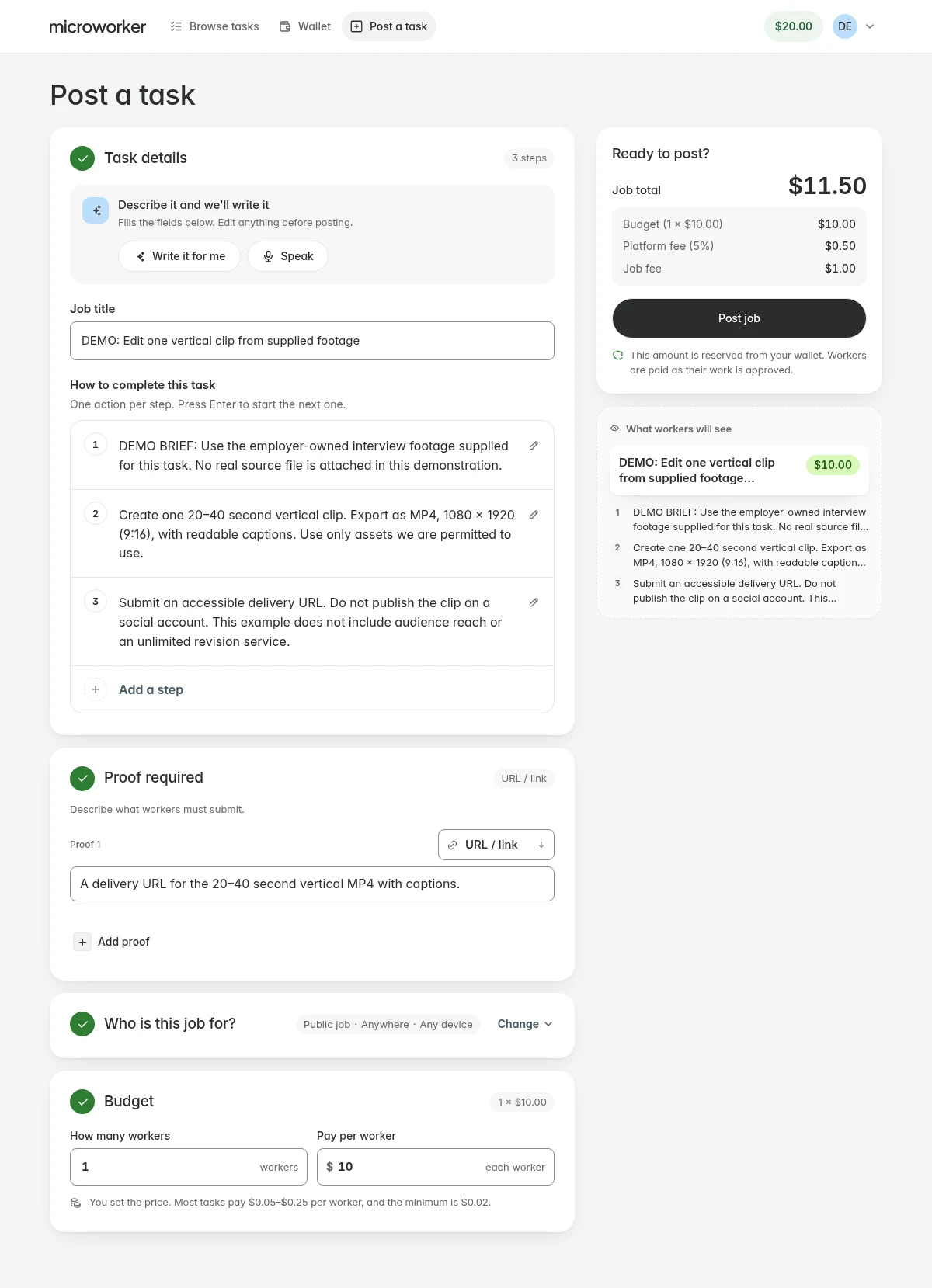
What to check before you move.
First: close out the old account correctly
Use Amazon’s closure help page for refunds, outstanding HIT approvals and payment preferences. A replacement platform cannot take those actions for you.
Second: separate portable tasks from specialist requirements
Short, objective tasks can be tested with a pilot. Research studies, sensitive datasets and work that depends on historical worker qualifications need more preparation. Keep your consent records and avoid copying participants’ personal data without a valid basis.
- Keep a copy of your task templates and result definitions.
- List every qualification, exclusion and privacy requirement.
- Map each requirement to an actual feature, or name the gap.
- Test a small sample and inspect the output before scaling.
Third: rebuild the integration deliberately
Microworker documents its own API; it is not an MTurk-compatible endpoint. Plan for changes to authentication, task creation, identifiers, results, retries and payment reconciliation.
A good fit starts with the requirements.
A few good questions.
Is MTurk still accepting new tasks?
No. Amazon’s help page states that the marketplace permanently closed on 30 September 2026. This page is about migrating, not about choosing between two operating marketplaces.
I was an MTurk worker. What happens to my balance?
Follow Amazon’s instructions: verify your payment preferences by 30 October 2026; Amazon says payments follow your existing schedule. Opening a Microworker account does not move your balance or qualifications.
Can I import my MTurk qualifications?
No importer exists. Turn your eligibility rules into a checklist and check the available controls — countries, devices, skills and languages — before running work.
Will I get the same workers or research sample?
That cannot be promised. A new platform has different availability and eligibility; judge the pilot sample rather than assuming it matches.
Still working through a requirement? Talk to us
A clear brief. A place to start.
Prepare one task and see whether the workflow fits your work.
Start with a taskSources & methodology
Written by Microworker from each platform’s public documentation and our current configuration. We have not bought competitor campaigns or measured comparative speed, quality or payout reliability. Competitor names belong to their owners; no affiliation is implied.
- Amazon MTurk helpClosure date, 30 October deadlines, refunds, worker payments and history access.
- Microworker platform configurationOur fees, plan prices, minimums, payout currencies and network fee estimates — what this page reads.
- Microworker termsTask rules, withdrawals and the daily balance rule.
- Microworker API documentationSupported integrations and webhooks.
Prices and availability change. Confirm current terms before funding or withdrawing.